

The Course Completion Points plugin can be used to award students points when they have completed a course. Once the plugin is installed, the Completion Points View plugin can be used so students can view the number of points they have. This plugin is recommended for versions of Moodle from 4.5 to 5.2.
Setting up the Completion Points Local Plugin
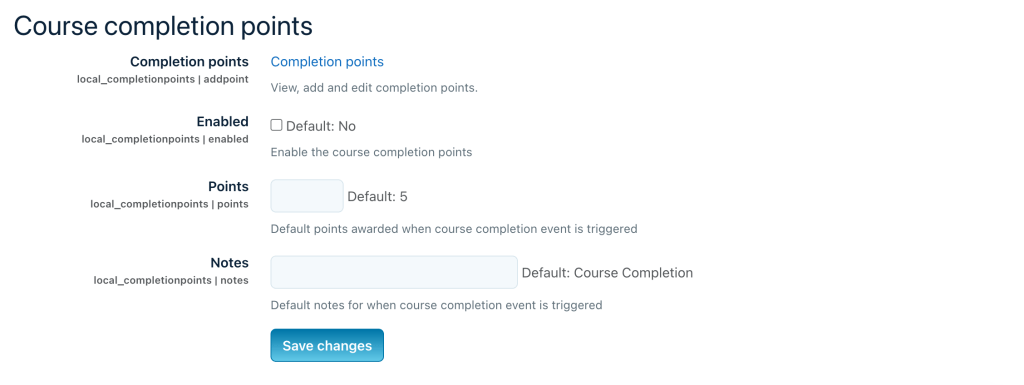
When installing the plugin, the completion points can be enabled using a checkbox. During setup, the default number of points on course completion can be set to any whole number.
The number of points can be varied per course if needed. The default number of points per course completion is 5, but this can be changed.
This plugin will not detect if all of a course’s activities are completed unless course completion conditions are not set in the course settings. Points are not tied to completion status, so if completion data is reset, points could be rewarded twice.
Setting up the Completion Points View Block
The Completion Points View block displays when points have been awarded to each student and the total points gained over the past year.
It is recommended to add the block as main content on the dashboard, instead of the sidebar, as it is designed for a wider layout.
Uses
- Completion points are awarded automatically when a student completes a course.
- Points can be awarded or removed manually to reward or punish students.
- Points can also be added in bulk using a CSV file.
