


One of the common challenges users face is that completed courses accumulate over time, making it difficult for individuals to review what courses they have already finished at first glance. The Completed Course Block addresses this issue by gathering all the completed courses in one location, providing both students and teachers with an organised view of their achievements.
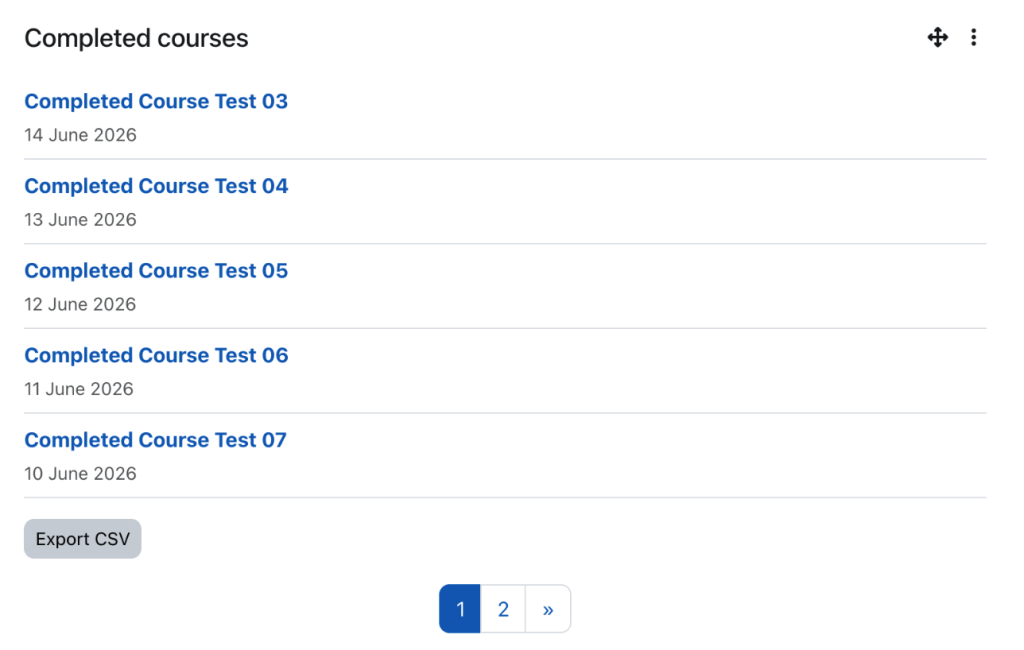
What Does the Completed Course Block Do?
Essentially, the purpose of the block is to display a list of courses that the current user has completed in chronological order by default, with the most recent course completed at the top of the list. This allows users to revisit their learning histories without navigating through several Moodle pages.
Who Does It Help?
This block is particularly useful for:
- Students who want to monitor their learning progress.
- Teachers who wish to track the completion status of their students.
- Staff members who have undergone professional development courses.
- Administrators of large institutions which offer a wide range of courses.
What Problem Does It Solve?
For new users, completed courses can be difficult to locate, especially if the individual is enrolled into multiple courses over time. This creates confusion when the user needs to verify what training they have completed, maintain records of their learning progress and access materials from their finished courses.
The Completed Course block eliminates this problem by centralising all concluded courses under one dedicated section that can be added both on the Dashboard and on the sidebar depending on the user’s preference.
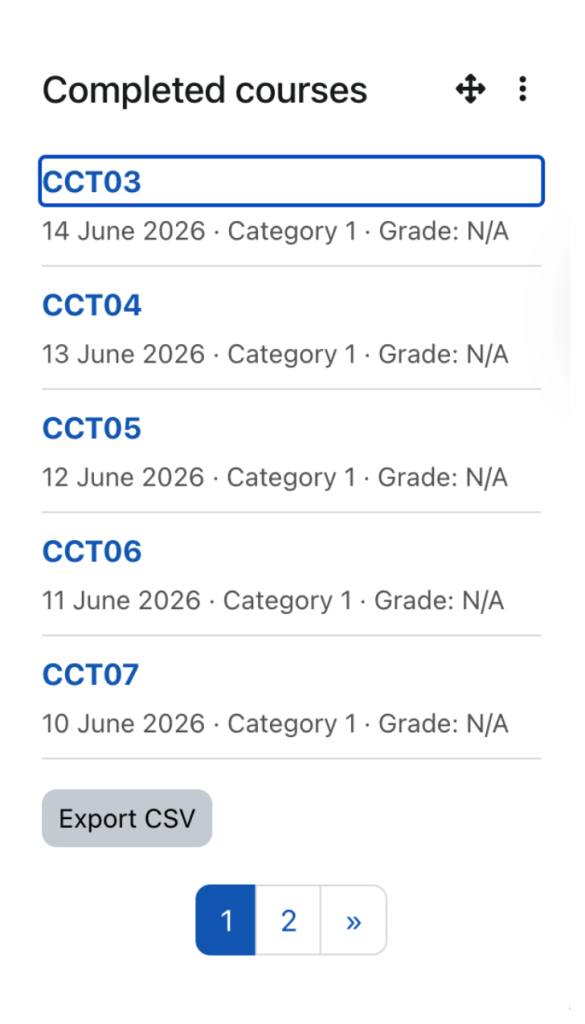
Key Features:
- Displays the completed courses for the current user
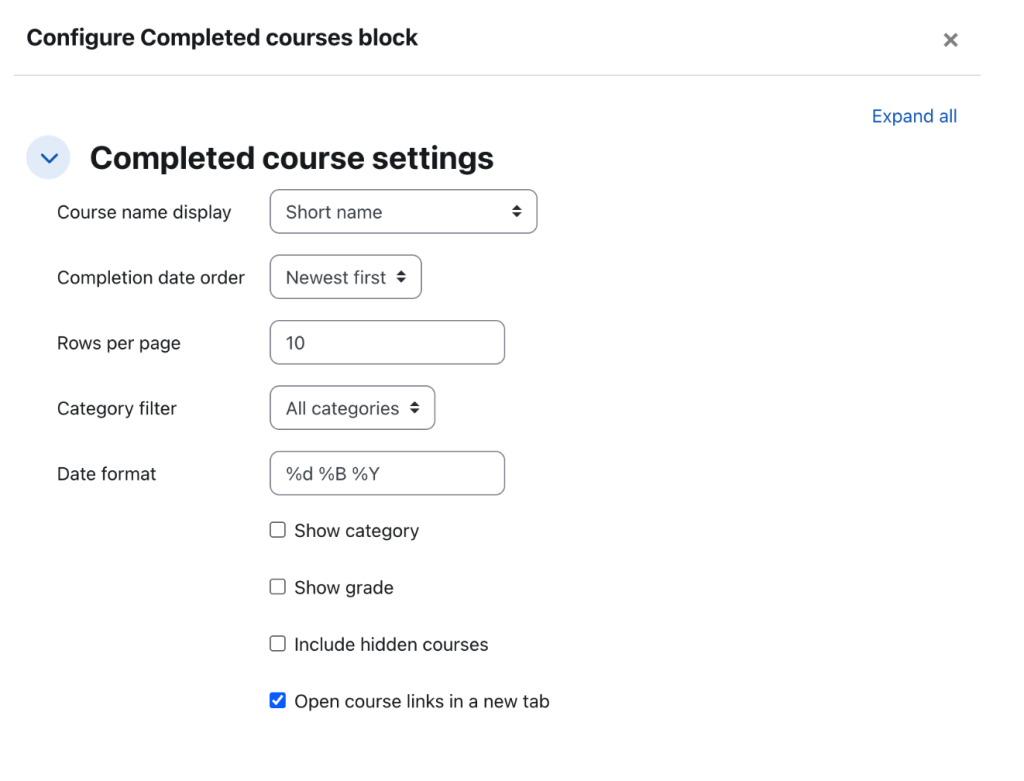
- Provides customisation on how completed courses are shown
- Sorting the order of the courses
- Limiting the number of courses displayed
- Filtering courses by categories
- Option to choose whether or not to show: hidden courses, grades, and categories
- Selecting date formats
- Option to open course links in a new tab
- Displays completed courses in pages, making large lists easy to sort
- Exports the visible completed course list as a CSV file for record-keeping
Practical Benefits for Moodle Users
By enabling quicker and easier management of the completed courses, this block enhances the overall Moodle experience, as users can navigate large collections of Moodle courses more efficiently and export a concise CSV file for reporting purposes, instead of manually documenting their achievements. Meanwhile, pagination and filtering options strengthen Moodle usability, in particular for those with extensive learning histories.
Overall, the Completed Course Block improves visibility, maintainability and accessibility of completed learning achievements in Moodle.
