

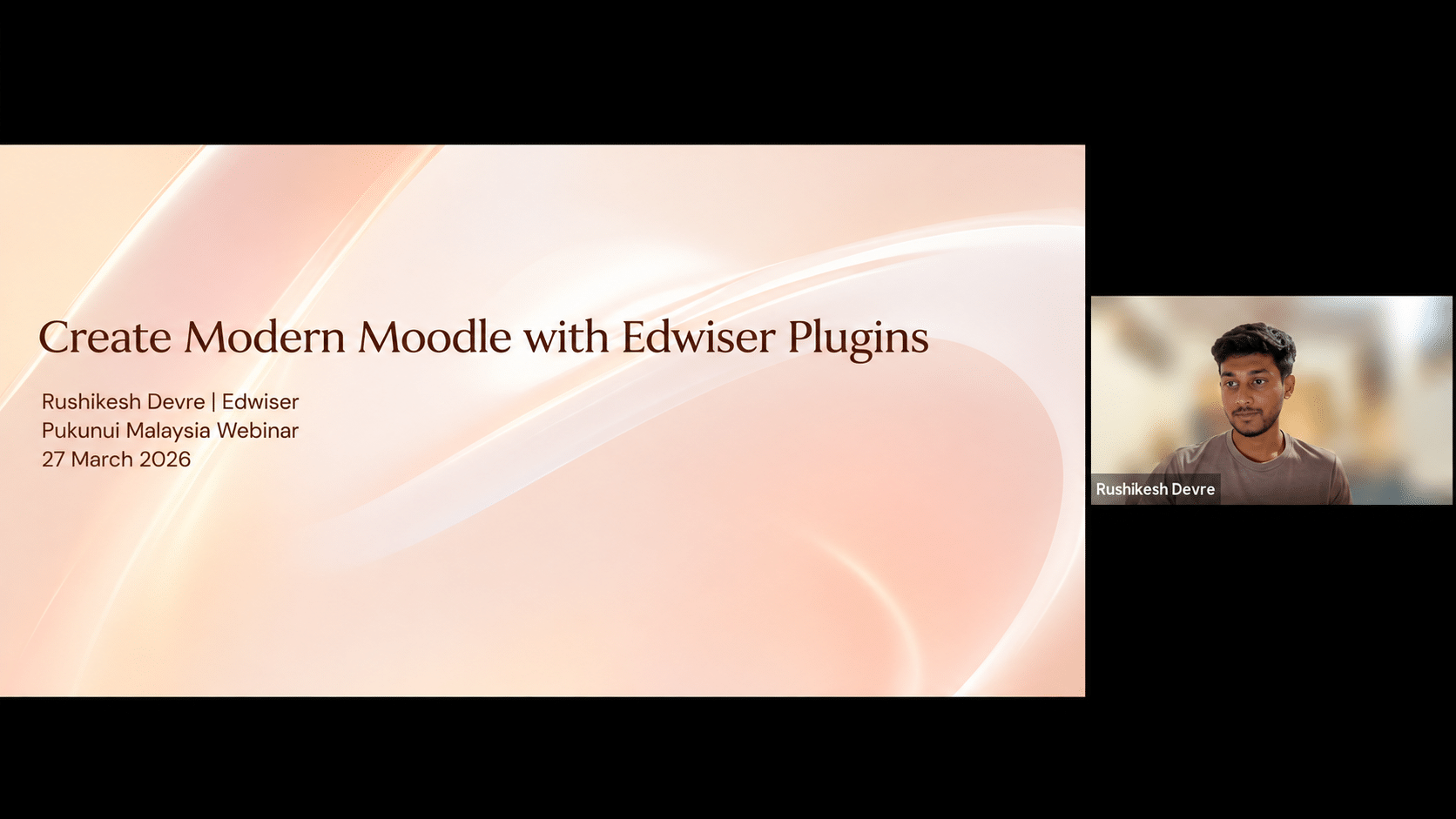
Post-Webinar Insights from #LearnWithPukunui: Exploring Better User Experiences, Course Monetisation and Learning Analytics
A Learning Management System (LMS) should do more than host courses and provide access to learning materials. It should offer a smooth experience for learners, make course management more efficient for administrators and provide educators with useful information to support better decisions.
As organisations expand their digital learning initiatives, expectations of an LMS continue to grow. Institutions and businesses want platforms that are easy to navigate, support different learning needs and provide the flexibility to manage and scale their online training programmes.
For Moodle™ users, plugins offer one way to extend the platform’s capabilities without having to develop every feature from scratch.
This was the focus of Pukunui’s #LearnWithPukunui webinar, Create a Modern Moodle with Edwiser Plugins. The session explored how selected Edwiser solutions can enhance Moodle through improved usability, course monetisation and learning analytics.
The discussion introduced three key solutions: Edwiser Store, Edwiser RemUI and Edwiser Reports. Each addresses a different aspect of LMS management, but together they demonstrate how plugins can help create a more complete digital learning environment.
Why a Modern Moodle Experience Matters
Moodle provides a flexible foundation for online learning. However, the experience learners and administrators have depends on how the platform is configured, presented and managed.
A functional LMS does not automatically translate into a user-friendly one.
Learners need to find their courses, navigate learning materials and access activities without unnecessary confusion. Administrators need practical ways to manage the platform, while organisations may also require additional capabilities to support commercial or professional training programmes.
Some common considerations include:
- User experience: Is the platform intuitive and easy to navigate?
- Course accessibility: Can learners find and access the right learning materials?
- Course monetisation: Can an organisation offer courses for direct purchase?
- Learning analytics: Can educators and administrators obtain meaningful insights from learning activities?
- Scalability: Can the platform support changing organisational and learning requirements?
This is where the right combination of Moodle plugins can make a difference.
Three Edwiser Plugins to Explore
The webinar introduced three Edwiser solutions that address different requirements within a Moodle environment.
1. Edwiser RemUI: Improving the Moodle User Experience
The user interface plays an important role in how learners interact with an LMS.
Even when a course contains well-designed learning materials, a confusing or cluttered interface can make it difficult for learners to navigate the platform and find what they need.
Edwiser RemUI focuses on improving Moodle’s appearance and usability, helping organisations create a more modern and learner-friendly experience.
A better-designed interface can support:
- More intuitive navigation
- A cleaner and more organised platform experience
- Improved presentation of learning content
- A more consistent look and feel
- Better overall usability for learners and administrators
For organisations using Moodle to support large numbers of learners, the way information is presented can influence how easily users interact with the platform.
The aim is not simply to make Moodle look attractive. It is to make the learning environment easier to use.
2. Edwiser Store: Supporting Course Monetisation
For training providers, educational institutions and organisations offering professional development programmes, an LMS may also serve as a platform for delivering paid courses.
However, managing course access and sales can introduce additional administrative requirements.
Edwiser Store provides a way to enable direct course sales through Moodle.
This can be useful for organisations that want to offer online courses as part of their training or business model.
Potential applications include:
- Selling individual online courses
- Offering paid learning programmes
- Supporting commercial training initiatives
- Managing course purchases through the Moodle environment
For training providers, this creates an opportunity to combine course delivery and course sales within their digital learning environment.
Rather than treating the LMS solely as a platform for hosting learning materials, organisations can explore how it may also support their wider training operations.
3. Edwiser Reports: Making Learning Analytics More Meaningful
An LMS generates information about learner activity, course participation and learning progress. However, having data available does not necessarily mean that organisations can use it effectively.
Educators, trainers and administrators need meaningful information to understand what is happening within their courses and make informed decisions.
Edwiser Reports focuses on providing learning analytics and reporting capabilities within Moodle.
Meaningful reports can help organisations gain better visibility into their learning activities and support evidence-based decision-making.
For example, learning analytics can be useful when reviewing:
- Learner participation
- Course activity
- Learning progress
- Training performance
- Overall learning management
For organisations managing multiple courses or training programmes, reporting can support a clearer understanding of how learning activities are progressing.
The value of reporting is not simply in producing more data. It is in making information useful for improving learning management and decision-making.
Bringing the Three Solutions Together
While Edwiser Store, RemUI and Reports address different requirements, they can be viewed as complementary parts of a broader Moodle strategy.
Consider how they support three important aspects of an LMS:
| LMS requirement | Edwiser solution | Main purpose |
|---|---|---|
| User experience | Edwiser RemUI | Improve Moodle’s appearance and usability |
| Course monetisation | Edwiser Store | Support direct course sales |
| Learning analytics | Edwiser Reports | Provide meaningful reporting and insights |
Together, these solutions address three practical questions:
- How do learners experience the platform? A user-friendly interface makes navigation and access to learning materials easier.
- How can organisations offer and sell courses? Course monetisation capabilities can support commercial learning initiatives.
- How can organisations understand their learning activities? Reporting and analytics provide information to support better management decisions.
The important consideration is that plugins should be selected according to actual organisational requirements. Not every Moodle site needs the same combination of features.
Choosing the Right Plugins for Your Moodle Environment
Before introducing additional plugins, organisations should consider what they want to achieve with their LMS.
A useful starting point is to identify existing challenges and determine whether a plugin can address them.
For example:
If learners struggle with navigation, reviewing the platform’s design and user experience may be a priority.
If the organisation wants to offer paid online courses, course sales and monetisation capabilities may be worth exploring.
If administrators need better visibility into learning activities, reporting and analytics solutions may be more relevant.
It is also important to consider plugin compatibility, Moodle version requirements, maintenance, licensing and the overall impact on the existing LMS environment.
A plugin should not be introduced simply because it offers additional features. It should provide a clear benefit and fit into the organisation’s broader digital learning strategy.
Building a More Sustainable Digital Learning Environment
Modernising Moodle is not necessarily about adding as many plugins as possible. It is about identifying the areas where improvements will make the greatest difference.
A well-planned LMS should balance usability, functionality and effective management.
Edwiser RemUI, Edwiser Store and Edwiser Reports demonstrate three different ways plugins can extend Moodle’s capabilities: improving the learner experience, supporting course monetisation and providing meaningful learning analytics.
For educators, trainers, HR and Learning & Development professionals, instructional designers and institutions, understanding these options can help inform decisions about how to develop a more effective digital learning environment.
Ultimately, a modern Moodle experience should work for everyone involved — learners, educators, administrators and the organisation.
Key Takeaways for Educators and Learning Designers
The #LearnWithPukunui webinar highlighted several considerations when exploring Edwiser plugins and modernising a Moodle environment.
- Prioritise user experience. An LMS should be easy to navigate and provide learners with a clear, organised learning environment.
- Explore plugins based on organisational needs. Select solutions that address specific challenges rather than adding features without a clear purpose.
- Consider course monetisation. Edwiser Store offers an option for organisations looking to support direct course sales through Moodle.
- Make better use of learning analytics. Edwiser Reports can help provide meaningful insights to support learning management and decision-making.
- Think beyond course delivery. A modern LMS should support the wider learning ecosystem, including usability, administration and organisational requirements.
- Plan plugin adoption carefully. Consider compatibility, licensing, maintenance and the impact on the existing Moodle environment.
The key message is that a successful Moodle environment is not defined by the number of plugins installed, but by how effectively its features support the people using it.
Watch the Webinar and Get Your Certificate!
Would you like to explore how Edwiser plugins can enhance your Moodle environment?
Revisit our #LearnWithPukunui webinar, Create a Modern Moodle with Edwiser Plugins, to learn more about how Edwiser Store, RemUI and Edwiser Reports can support modern teaching, course monetisation and effective learning management.
Pukunui would like to thank everyone who joined the session and took the time to explore the possibilities of extending Moodle through Edwiser solutions.
We hope these insights help you identify practical ways to improve your LMS and create a more user-friendly, efficient and sustainable digital learning environment.
Follow #LearnWithPukunui for more webinars, discussions and insights on Moodle, educational technology and digital learning.
