

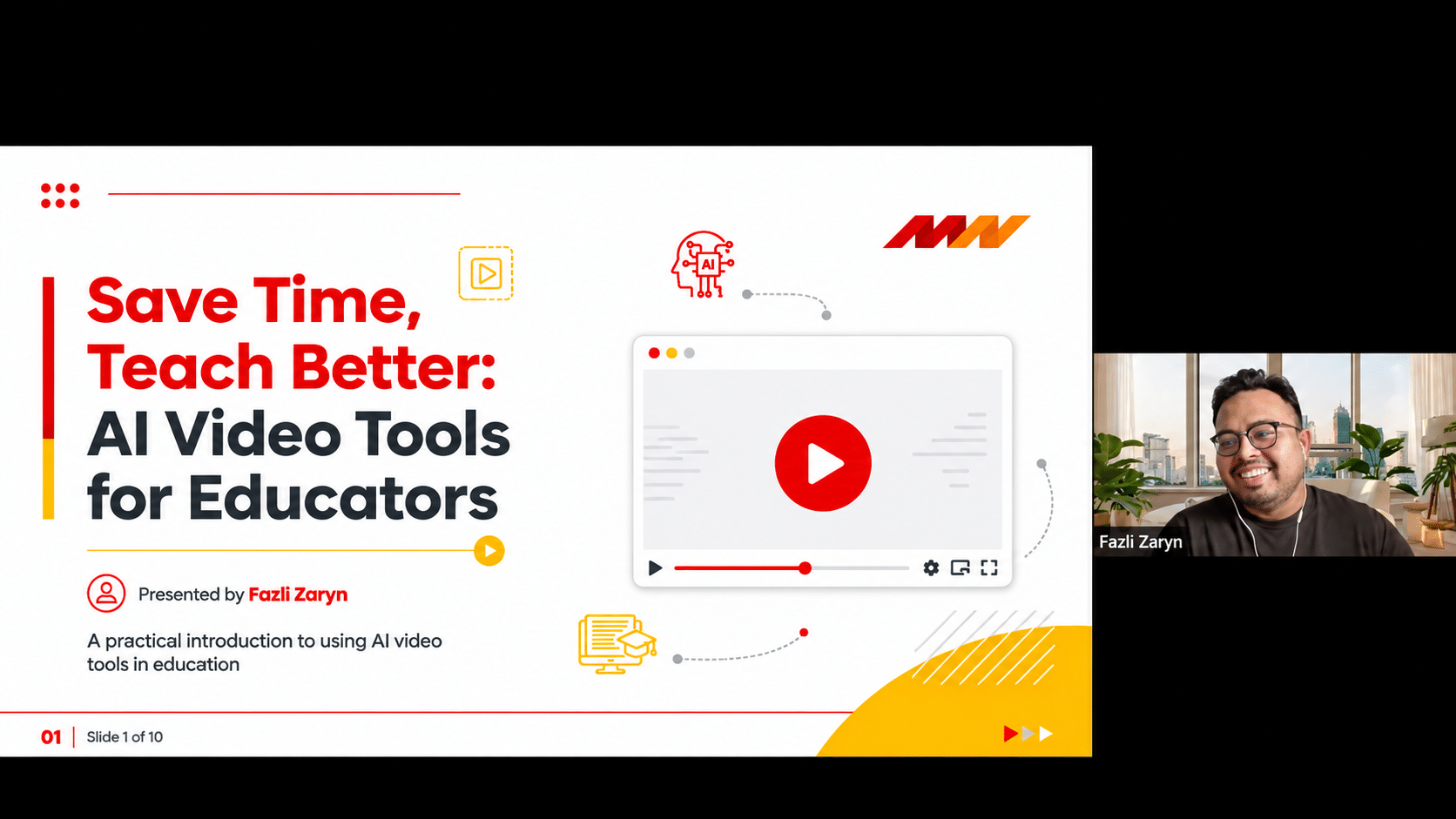
Post-Webinar Insights from the Fifth #LearnWithPukunui Webinar: Practical Ways AI Can Simplify Educational Video Creation
Creating engaging learning materials is an increasingly important part of an educator’s role. Beyond preparing lessons and delivering lectures, educators are often expected to produce videos, explain complex topics, support different learning preferences and keep learners engaged across face-to-face and digital environments.
While video is an effective way to communicate information, producing quality educational content can be time-consuming. From writing scripts and recording footage to editing, adding subtitles and preparing different versions, the production process can quickly become another responsibility on an already busy schedule.
So, how can educators make video creation more manageable without compromising the quality of teaching?
This was the focus of Pukunui’s fifth #LearnWithPukunui webinar, Save Time, Teach Better: AI Video Tools for Educators. Led by creative strategist and AI educator Fazli Zaryn, the session explored how AI-powered video tools can support educators in creating learning content, streamlining production workflows and exploring new ways to communicate with learners.
Rather than positioning AI as a replacement for teachers, the discussion focused on how these tools can serve as practical assistants, helping educators spend less time on repetitive production tasks and more time on teaching and supporting learners.
Rethinking Video Creation in Modern Education
Educational videos do not always require a full production team, a recording studio or hours of editing. With the development of AI-powered platforms, educators now have more options for turning ideas, scripts and existing materials into video content.
Depending on the tools used, AI can assist with:
- Generating video scripts and visual scenes
- Creating AI presenters and avatars
- Producing voiceovers and narration
- Adding captions and subtitles
- Translating content into different languages
- Developing short-form videos and lesson summaries
These capabilities offer educators an alternative to traditional video production workflows, particularly when creating introductory videos, course announcements, topic explanations and revision materials.
However, the technology does not determine what learners need to understand. Educators must still establish the learning objectives, check the accuracy of the information and ensure that the final video is appropriate for its intended audience.
The principle is simple: AI can help create the content, but educators remain responsible for the learning experience.
From Traditional Production to AI-Assisted Workflows
Traditional video production often involves several stages: preparing a script, arranging a recording session, capturing footage, editing the video, adding captions and exporting the final version.
Depending on the complexity of the content, this process may take several hours or even days.
During the webinar, Fazli shared how AI tools can simplify parts of this workflow. Tasks such as generating narration, creating visual scenes and preparing alternative language versions can be completed with fewer manual production steps.
This does not mean that every video can be produced instantly or without further editing. AI-generated content still needs to be reviewed, refined and checked before it is shared with learners.
The real benefit is the opportunity to reduce repetitive production work and make content creation more manageable.
For educators, this could mean having more time to prepare learning activities, provide feedback, mentor students and improve the overall learning experience.
Exploring AI Video Tools for Educators
A key part of the webinar was the demonstration of different AI video platforms and how they could be used for educational content creation.
Fazli introduced several tools, each offering different possibilities depending on the type of video an educator wants to produce.
Google Flow: Creating Visual Scenes and Explanations
Google Flow was introduced as a tool for experimenting with AI-generated video scenes.
For educators, this opens up possibilities for creating visual content to support explanations, storytelling and concept demonstrations.
Potential applications include:
- Creating visual scenes to illustrate abstract concepts
- Developing short educational explainers
- Supporting storytelling-based learning activities
- Experimenting with different visual approaches to present information
Instead of relying entirely on static slides or stock footage, educators can explore generated scenes to make selected topics more visually engaging.
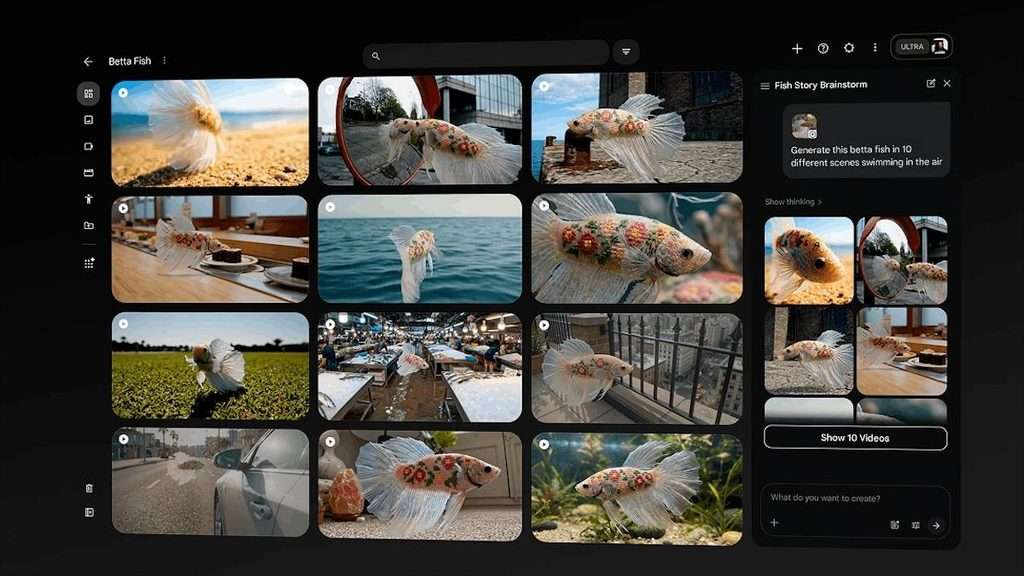
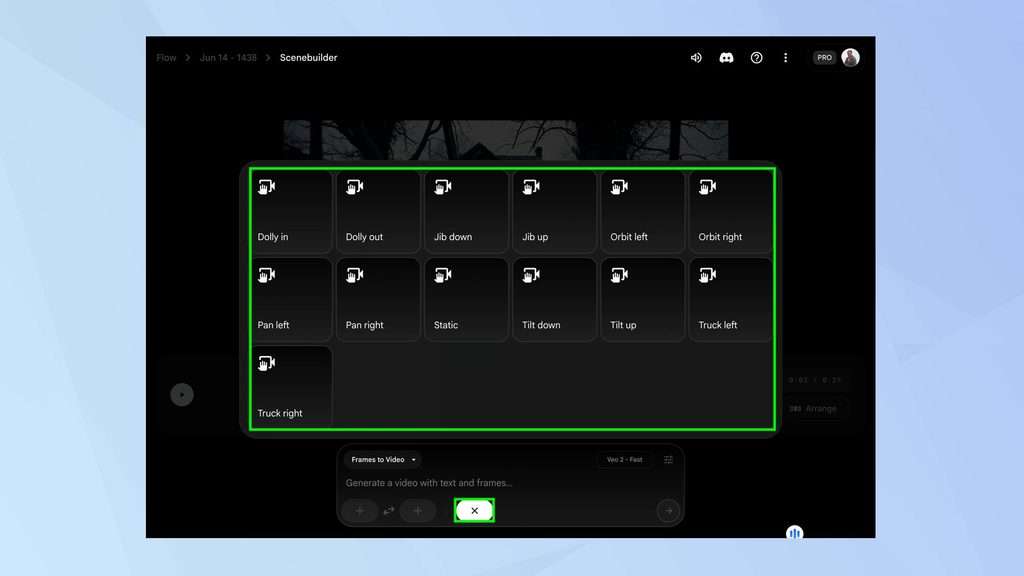
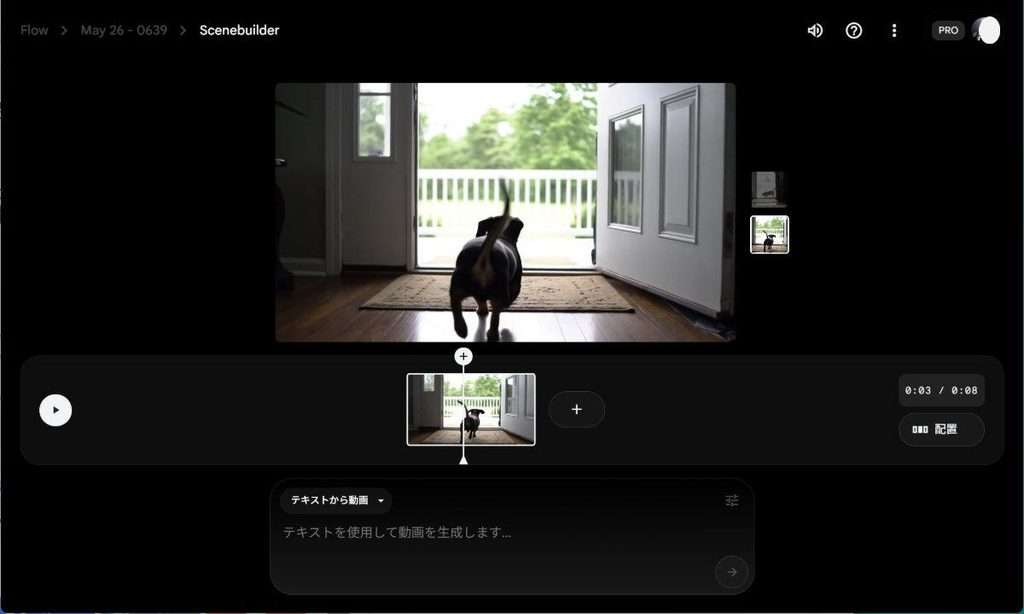
Google Flow provides a creative workspace for generating video scenes and experimenting with AI-powered visual storytelling.
HeyGen: AI Presenters, Avatars and Voiceovers
HeyGen was another platform explored during the session, particularly for its AI avatar and presenter capabilities.
Educators can use AI-generated presenters to deliver information without having to record themselves for every video. The platform also offers voice and language options that can support different content requirements.
Possible applications include:
- Lecturer introductions and course welcome videos
- Avatar-led presentations
- Course announcements
- Voiceovers and narration
- Multilingual learning content
The webinar also explored how users could work with their own images and voice recordings to create personalised avatar presentations.
These features may be useful when educators want to maintain a presenter-led format while reducing the time spent on repeated recording sessions. However, personal images and voice recordings should only be used with appropriate consent.
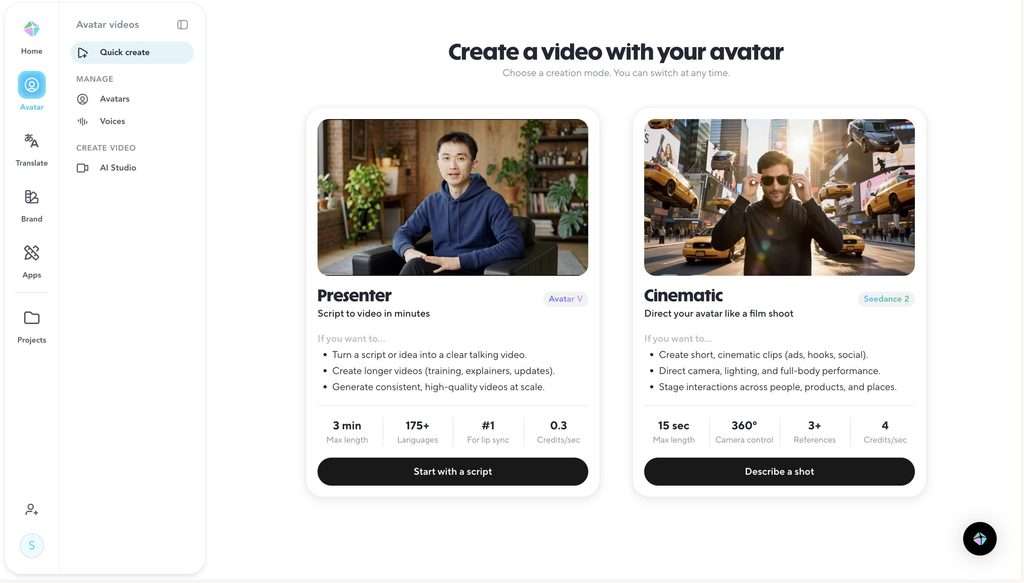
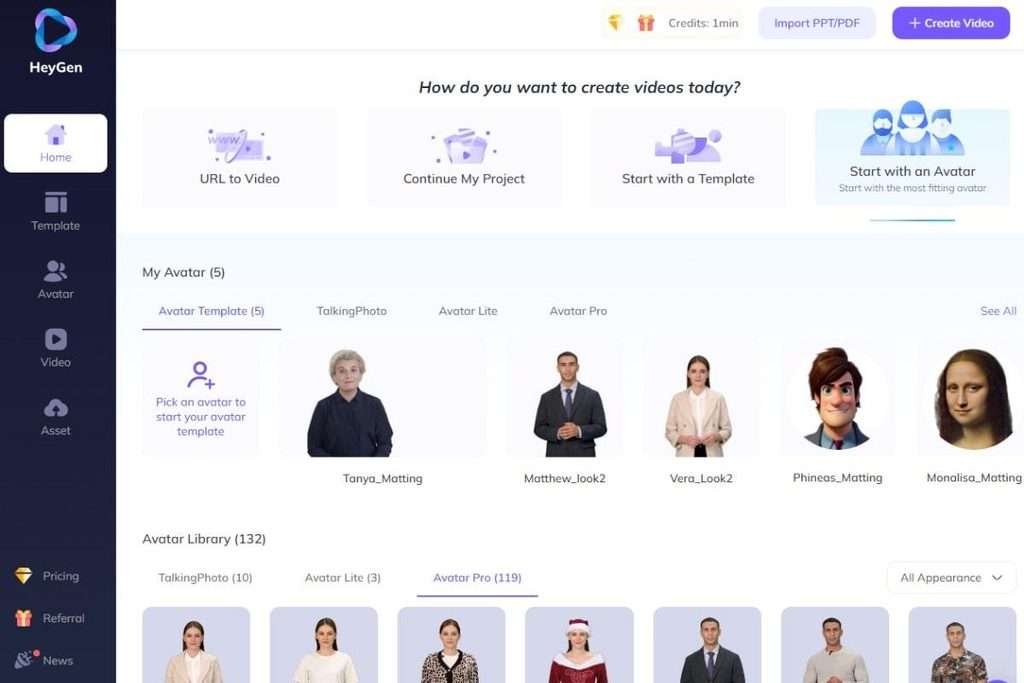
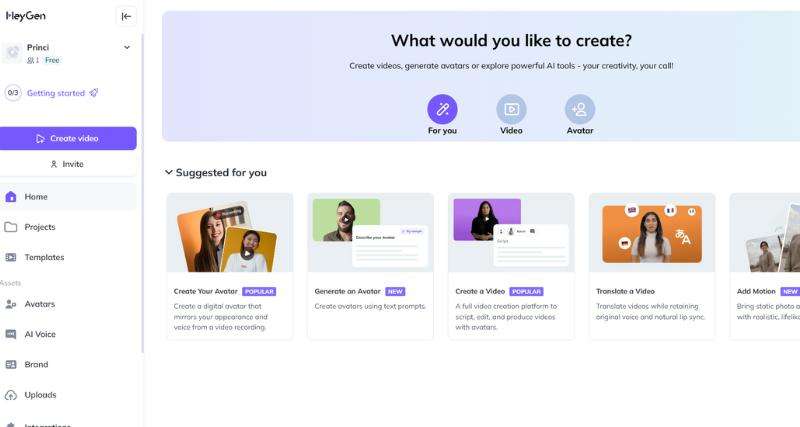
HeyGen allows users to create presenter-led videos using AI avatars, scripts and generated voices.
Kling AI: Supporting Creative Video Production
Kling AI was also introduced as an option for generating video content from prompts.
Its potential uses include visual storytelling, simulated scenarios and creative educational materials.
For example, educators could explore generated scenes to illustrate a situation, introduce a topic or provide visual context for a lesson.
As with other AI video platforms, the quality and usefulness of the output depend on the instructions provided and the amount of review and refinement carried out afterwards.
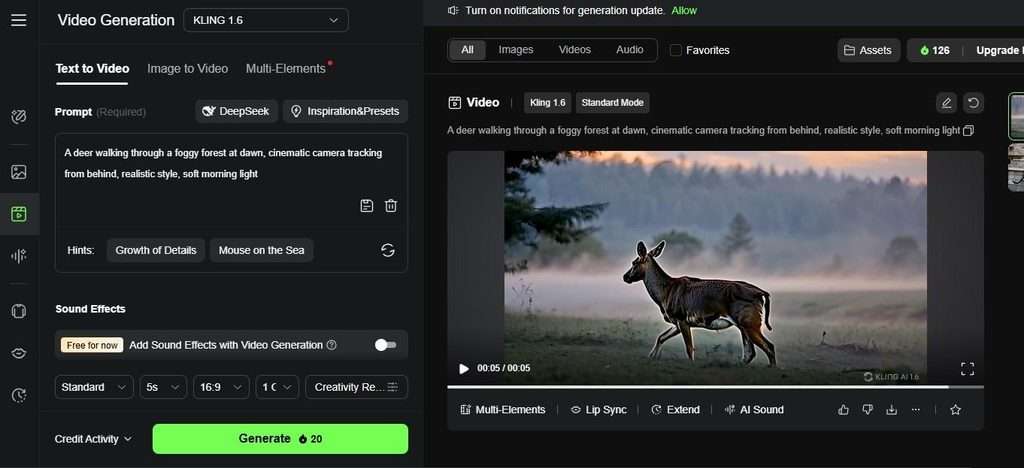
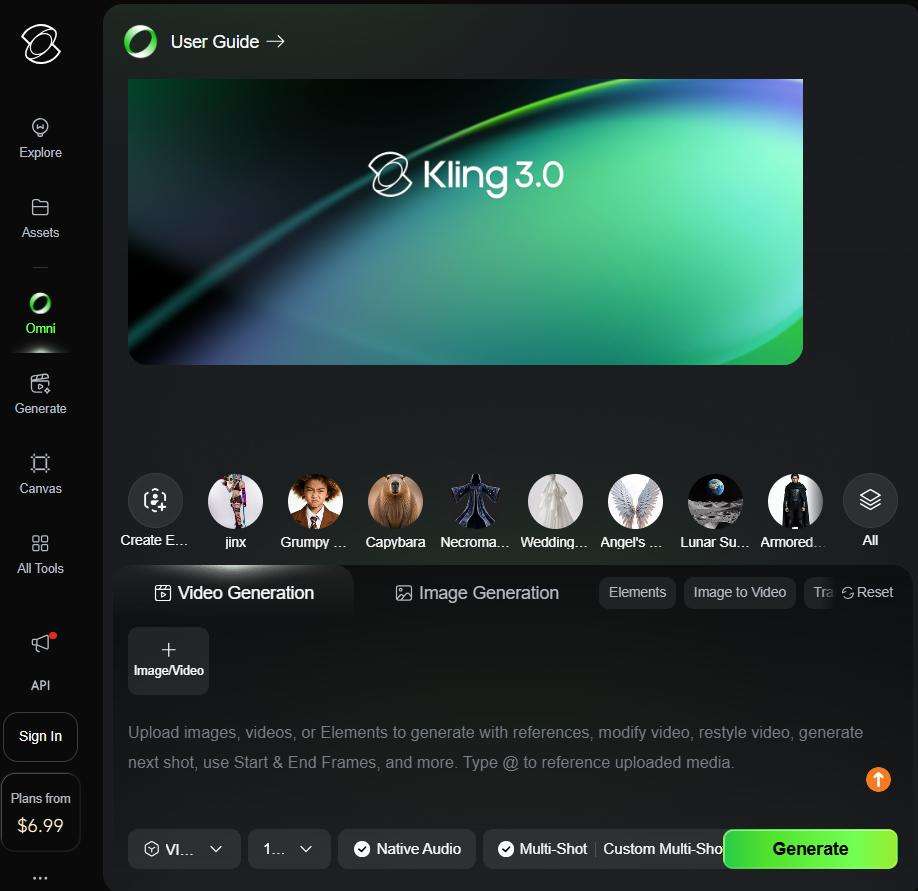
Kling AI enables users to explore text-to-video and image-to-video generation for creative visual content.
Practical Considerations: What Educators Asked During the Webinar
The live discussion also addressed practical questions about using AI video tools. These questions reflected some of the common concerns educators may have when considering whether to introduce AI into their content creation process.
Can AI reproduce a lecturer’s voice?
The discussion explored voice cloning and the use of recorded voice samples to create personalised avatar presentations.
Some platforms allow users to record their own voice and create a voice model for future use. This can be useful for producing consistent narration without recording every video from scratch.
However, voice cloning should only be carried out with the voice owner’s explicit permission.
How long can an AI-generated video be?
Video duration depends on the platform and subscription plan. Some free versions impose shorter generation limits, while paid plans may provide longer video options.
Educators should check the current limitations of each platform before planning their content production workflow.
Are free versions sufficient?
Free plans can be a useful starting point for educators who want to experiment with AI video creation.
However, users may encounter limitations involving credits, video duration, export options and watermarks. The webinar highlighted the value of testing the available features before deciding whether a paid subscription is necessary.
How can educators maintain consistency across video scenes?
Consistency becomes important when creating videos with multiple scenes or segments.
Reusing the same core prompts, visual references, avatar and background settings can help maintain a more coherent appearance. Educators should also review the generated scenes to ensure that the visuals and narration work together.
Can existing videos be translated or subtitled?
The session discussed using YouTube’s automatic captioning features to generate subtitles and support different language options.
However, adding subtitles is different from replacing the spoken audio with another language. Educators who require a translated voice track may need to use a dedicated video translation platform.
The appropriate approach depends on the learning context, the language requirements and the accessibility needs of the learners.
AI Video Creation Still Requires Human Judgement
Although AI tools can make video production more accessible, using them effectively requires more than entering a prompt and accepting the result.
Several considerations remain important when creating educational videos.
Accuracy and reliability
AI-generated scripts, narration and visuals may contain errors. Educators should verify information and ensure that the content aligns with the subject matter and learning objectives.
Appropriate use of AI presenters
AI avatars can support content delivery, but they should be used thoughtfully. The choice of presenter, voice and presentation style should suit the intended audience and learning context.
Privacy and consent
Personal photographs, voice recordings and institutional materials should be handled carefully. Educators should understand how each platform processes and stores uploaded content.
Accessibility and inclusion
Videos should be designed with different learner needs in mind. Captions, clear narration and alternative ways of accessing essential information can help make learning materials more inclusive.
Purposeful technology adoption
Not every lesson needs a video, and not every video needs an AI presenter. The choice of technology should be guided by the intended learning outcome rather than the availability of new features.
Ultimately, AI should support the teaching process, not introduce unnecessary complexity.
Making AI Work for Teaching, Not the Other Way Around
One of the key messages from the webinar was that AI video tools are most valuable when they address a genuine content creation challenge.
Educators do not need to adopt every new platform or transform their entire teaching approach overnight. A more practical starting point is to identify one task that takes considerable time, such as preparing a course introduction or recording a short lesson recap, and experiment with an appropriate AI tool.
Once educators become familiar with the workflow, they can evaluate whether it improves efficiency, supports communication and contributes to a better learning experience.
The technology may continue to evolve, but the purpose of teaching remains the same: helping learners understand, engage and apply what they have learned.
AI can help educators produce content more efficiently. What makes that content meaningful, however, is the educator’s knowledge, judgement and understanding of the learners.
Key Takeaways for Educators and Learning Designers
The fifth #LearnWithPukunui webinar highlighted several practical considerations for educators and learning designers exploring AI-powered video creation:
- Start with the learning objective. Decide what learners should understand before choosing an AI video platform.
- Use AI to simplify production. Explore tools that can assist with scripts, narration, avatars, subtitles and visual content.
- Choose tools based on purpose. Google Flow, HeyGen and Kling AI offer different capabilities. Select the platform that best supports the intended video.
- Review AI-generated content. Check facts, visuals, narration, pronunciation and captions before sharing videos with learners.
- Consider accessibility and inclusion. Use captions, appropriate language and suitable formats to support different learner needs.
- Protect privacy and obtain consent. Be mindful when using personal photographs, voice recordings and institutional information.
- Keep the educator at the centre. AI can support content creation, but teaching expertise and human judgement remain essential.
The goal is not simply to create more videos. It is to make educational content creation more efficient while maintaining its quality, relevance and learning value.
Watch the Webinar and Get Your Certificate!
Missed the session or would like to revisit the demonstrations?
Watch the recording of our fifth #LearnWithPukunui webinar, Save Time, Teach Better: AI Video Tools for Educators, and explore the practical demonstrations, platform comparisons and discussions shared by Fazli Zaryn.
Pukunui would like to thank Fazli Zaryn for sharing his experience and practical insights, as well as everyone who joined the session and contributed to the discussion.
We hope the session inspires educators and learning designers to explore AI video tools thoughtfully and discover practical ways to make content creation more manageable.
Follow #LearnWithPukunui for more webinars, conversations and insights on educational technology, digital learning and the evolving learning experience.
