

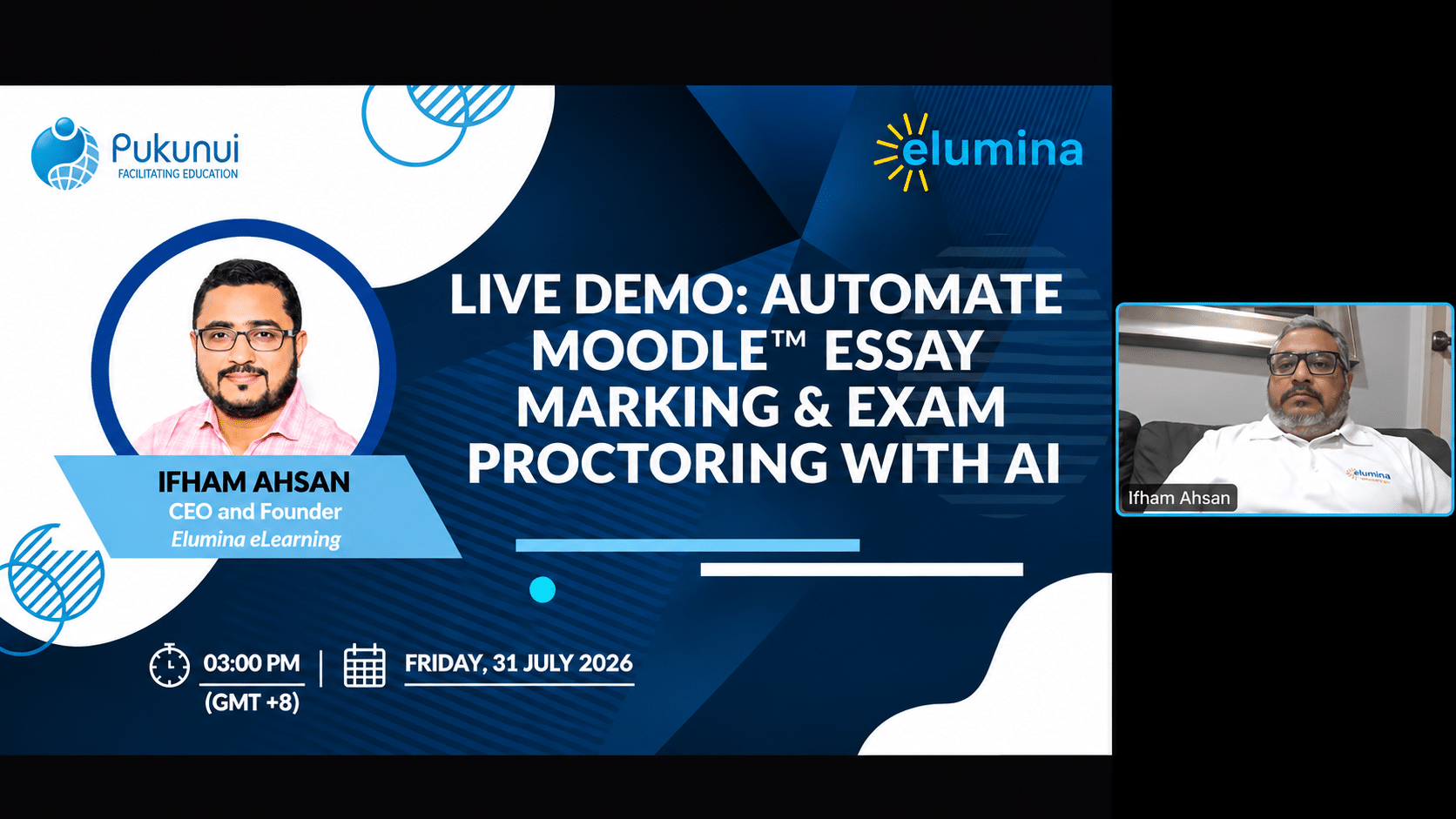
Post-Webinar Insights from the Seventh #LearnWithPukunui Webinar: Exploring AI-Powered Assessment, Automated Grading and Online Exam Monitoring
Assessment is an essential part of the teaching and learning process. However, managing examinations, maintaining academic integrity and marking large volumes of student submissions can place considerable pressure on educators and institutions.
For organisations delivering online assessments, the challenges can be even greater. How can institutions verify that the right student is sitting an examination? How can they monitor suspicious activity during remote exams? And how can educators reduce marking workloads without compromising consistency, fairness and the quality of feedback?
These were the key questions explored during the seventh #LearnWithPukunui webinar for 2026, Live Demo: Automating Moodle™ Essay Marking & Exam Proctoring with AI.
Featuring Ifham Ahsan, CEO and Founder of Elumina eLearning, the session demonstrated how AI-powered assessment solutions can integrate with Moodle to support online examination security and automate aspects of essay marking.
Through practical demonstrations of AI Proctor and AI Mark, participants explored how institutions can streamline assessment workflows, monitor remote examinations and introduce AI-assisted grading while keeping educators and markers involved in the decision-making process.
The Challenges of Online Assessment
The webinar began by exploring some of the most common assessment challenges faced by educators and institutions.
Participants were invited to identify their biggest concerns, with options covering:
- Marking workload and turnaround time
- Consistency and fairness across markers
- Academic integrity and examination security
- Delivering and scaling online examinations
One of the strongest concerns raised by participants was academic integrity and examination security.
This reflects a familiar challenge in online examinations. Institutions need confidence that the registered student is the person completing the examination and that the assessment is being conducted according to the required rules.
Other concerns include students referring to unauthorised materials, using mobile phones, receiving assistance from another person or accessing restricted resources during an examination.
At the same time, educators face a separate but equally demanding challenge: marking large volumes of assignments and essay-based questions.
Manual marking can be time-consuming, particularly when several markers are involved. Maintaining consistent grading standards, providing meaningful feedback and returning results promptly can become difficult when assessment volumes increase.
The webinar explored how AI could help address both challenges.
AI-Powered Assessment: Bringing Exam Security and Marking Together
During the session, Ifham introduced Elumina’s digital assessment solutions, highlighting two modules that were demonstrated in detail:
AI Proctor – designed to support remote examination monitoring and academic integrity.
AI Mark – designed to assist with the marking of essay-based and other subjective assessment responses.
The solutions integrate with Moodle, allowing students to continue accessing their examinations through the familiar LMS environment.
The intention is to complement existing Moodle assessment workflows rather than introduce an entirely separate learning environment for students.
Let’s explore the two demonstrations.
AI Proctor: Strengthening Online Examination Integrity
Remote examinations introduce challenges that are not always present in a traditional examination hall.
Without physical invigilation, institutions need alternative ways to verify student identities, monitor examination activity and review potential incidents.
AI Proctor supports remote examination monitoring by capturing and analysing activity throughout an examination.
During the demonstration, participants were shown how a student could access an examination through Moodle and proceed through the verification process.
Student Identity Verification
Before starting an examination, students go through an identity verification process.
The demonstration covered several verification approaches:
- Facial biometric authentication: Verifying the candidate using facial recognition technology.
- Identification document checks: Using documents such as passports or driving licences.
- Manual verification: Allowing an invigilator to review and verify a candidate where biometric authentication is not appropriate.
This provides institutions with different verification options depending on their examination requirements and policies.
Monitoring Student Activity During Examinations
Once the student has been verified, the examination proceeds through Moodle as usual.
During the demonstration, the monitoring system was shown capturing information from the candidate’s examination environment, including camera, microphone and screen activity.
The system can identify and flag certain events that may require invigilator attention.
For example, Ifham demonstrated a scenario involving a student speaking on a mobile phone during an examination.
The system highlighted the incident using a traffic-light indicator, with a red signal drawing attention to the candidate’s activity.
Invigilators can then review the flagged event and decide what action is appropriate.
Real-Time Invigilator Intervention
An important feature demonstrated was the ability for invigilators to communicate with candidates during an examination.
Rather than simply recording suspicious activity for later review, the invigilator can intervene when necessary.
The demonstration showed three possible levels of intervention:
- Monitor the candidate: Review the live video, screenshots and flagged events.
- Contact the candidate: Initiate a call or communication to remind the student of examination requirements.
- Block the examination: If the situation requires further action, the invigilator can block the candidate from continuing the examination.
This gives institutions more control over how examination incidents are handled.
Reviewing Examination Recordings and Evidence
AI Proctor also provides access to recorded examination activity.
During the demonstration, participants were shown how invigilators could review:
- Recorded video and audio
- Captured screenshots
- Flagged examination events
- Candidate activity throughout the session
- Playback of earlier examination activity
This is particularly useful when an incident needs to be reviewed after the examination has ended.
According to the presenter, recordings remain accessible for 60 days before being archived. Institutions can also configure archiving to supported storage locations, including AWS and Azure.
Configurable Examination Rules
Not every institution has the same examination policies.
Some assessments may be closed-book examinations, while others may permit reference materials, specific websites or assistive arrangements.
Ifham explained that examination rules, event detection and tolerance thresholds can be configured according to institutional requirements.
For example, an examination involving AI tools may intentionally allow students to access ChatGPT or other approved resources.
Similarly, specific allowances can be configured for individual students with additional examination requirements.
The objective is to provide flexibility while maintaining the institution’s examination integrity standards.
What About a Secure Exam Browser?
The webinar also introduced a configurable secure examination browser option.
This can restrict access to the candidate’s computer during an examination, helping prevent access to unauthorised applications or resources.
The presenter explained that the solution offers a launcher that students can use to start the secured examination environment, with access restrictions configured according to the examination requirements.
Although a full live demonstration of this component was not completed during the session, Ifham offered to provide a separate demonstration.
AI Mark: Automating Essay Marking and Assessment Workflows
The second major demonstration focused on one of the most time-consuming responsibilities for educators: marking.
Essay questions and subjective assessments require more than checking whether an answer is right or wrong. Markers need to interpret responses, apply marking criteria, allocate scores and provide constructive feedback.
When hundreds of submissions need to be assessed, the process can become demanding.
AI Mark is designed to assist with this process by using AI to evaluate student responses against predefined marking criteria.
How Does AI Mark Work with Moodle?
The demonstration showed how an examination created in Moodle could be synchronised with the marking platform.
The workflow begins with the assessment being configured in Moodle, including the questions, students and assigned markers.
Once students complete their examinations, their responses are transferred to the marking platform.
Markers can then access the submitted responses and review the AI-generated assessments.
One important feature is that AI marking does not have to be initiated manually for every student. According to the presenter, the process can be configured to run automatically when responses are synchronised, or markers can trigger the AI marking process individually.
This allows institutions to choose a workflow that suits their assessment requirements.
Using Rubrics to Guide AI Marking
A key discussion during the webinar focused on the importance of marking rubrics.
Ifham strongly recommended providing a rubric for each question so that the AI has clear criteria to follow.
A rubric helps define:
- Expected answers and assessment criteria
- How marks should be allocated
- The standards used to evaluate responses
- The level of detail required in feedback
Without clear marking guidance, AI may produce inconsistent or inaccurate assessments.
Providing rubrics and sample answers helps establish clearer expectations and gives the AI a structured basis for evaluating student responses.
This is an important consideration for educators who want to introduce AI into subjective assessment.
Human Markers Retain the Final Decision
One of the most important points from the demonstration was that the human marker remains in control of the final marks.
AI can provide an initial score and generate feedback, but markers can review, modify or override the suggested results.
The demonstration showed an example where a marker disagreed with the AI-generated score and changed the mark accordingly.
Markers can also edit the feedback before finalising the assessment.
The system maintains the marking history, allowing institutions to review how the AI-generated result was handled and whether changes were made by a human marker.
Once the marking is approved and submitted as final, the marks and feedback can be synchronised back to Moodle.
This approach combines the efficiency of AI with the professional judgement of educators.
Customising AI Feedback and Marking Criteria
Another useful feature discussed was the ability to customise the instructions given to AI.
Institutions and educators can define prompts that specify how answers should be assessed and how feedback should be presented.
For example, feedback can be configured to be:
- Detailed and question-specific
- Short and focused on key improvements
- Written in a particular language or style
- Aligned with the institution’s marking methodology
This allows educators to maintain greater control over the assessment process rather than relying entirely on generic AI-generated feedback.
Supporting Different Submission Formats, Including Handwritten Answers
One particularly interesting part of the webinar was the demonstration of handwritten assessment submissions.
AI Mark was shown processing scanned handwritten answers and separating the submitted document into individual questions.
The presenter demonstrated how the system could identify different questions within a submission and display them separately for marking.
The platform was also described as supporting several file formats, including:
- JPEG
- PNG
This is particularly relevant for institutions that still conduct handwritten examinations or receive scanned answer scripts.
It provides an opportunity to explore AI-assisted marking without requiring every assessment to be completed as a typed online response.
Flexible Marker Allocation and Blind Marking
The webinar also explored how markers can be assigned to different students, groups or individual questions.
For example, an institution may want one specialist to mark a particular set of questions while another specialist evaluates a different section of the same examination.
This can be useful for subjects requiring specialised knowledge, such as medical or technical assessments.
Blind marking is also supported, allowing student identities to be concealed from markers through generated candidate identifiers.
These capabilities provide additional flexibility for institutions managing complex assessment arrangements.
How Does AI Mark Work with Turnitin and Other Plagiarism Detection Tools?
An important question raised during the Q&A was whether AI Mark replaces Turnitin or other plagiarism detection solutions.
Ifham clarified that the purpose of AI Mark is to automate aspects of the marking process, not to replace plagiarism detection or AI-writing detection tools.
The two solutions serve different purposes.
For example, an institution can continue using Turnitin to conduct similarity checks and other academic integrity checks.
Once the submission has gone through the required checks, it can be synchronised with the marking platform for AI-assisted grading.
The marking process can then use the supplied rubrics to evaluate the student’s response.
This means institutions can retain their existing academic integrity workflow while exploring AI to reduce the manual marking workload.
The discussion also covered the possibility of using predefined thresholds and instructions when reviewing assessment information.
The key distinction is that plagiarism detection and assessment marking should remain separate but complementary processes.
AI Bias, Accuracy and Data Governance
Introducing AI into assessment raises important questions about fairness, accuracy and the handling of student information.
These concerns were also addressed during the webinar.
Can AI Marking Be Biased?
Ifham acknowledged that AI bias cannot be completely eliminated.
He shared that Elumina had been working to reduce bias and hallucinations in its marking processes. According to feedback from markers shared during the session, the reported bias level had reduced from approximately 8.5% to 3%.
These figures were presented by the speaker and should be understood as reported product feedback rather than an independently verified accuracy benchmark.
The discussion reinforced why human review remains essential.
AI-generated marks should be checked against the marking rubric, and markers should retain the ability to correct scores and feedback when necessary.
How Is Student Data Handled?
Another participant asked how AI models are used and whether student information is shared with public AI services.
Ifham explained that Elumina hosts its AI models using Amazon Web Services (AWS) Bedrock.
He stated that client data is handled within the platform’s hosted environment and that each client has its own set of models. According to the presenter, information shared by one client is not shared with other clients or sent to public AI services.
He also explained that the models can be configured and refined to reflect an institution’s marking requirements and the feedback provided by its markers.
For institutions considering AI-powered assessment, data governance, privacy and security should remain part of the evaluation process. It is important to review the provider’s technical documentation, contractual arrangements and applicable institutional policies before implementation.
Beyond Automated Marking: Supporting Student Feedback and Learning
Although the main demonstration focused on examination monitoring and automated marking, the discussion also touched on other AI-supported assessment possibilities.
Ifham introduced the concept of an AI-based self-evaluation tool.
The idea is to allow students to submit their work and receive constructive feedback based on a chosen pedagogical approach, such as Bloom’s Taxonomy.
Rather than automatically assigning a mark, the tool is intended to help students understand areas for improvement.
This distinction is important.
If students receive an AI-generated score that differs significantly from the final mark awarded by their lecturer, it may create confusion and disagreement.
Providing developmental feedback instead can help students reflect on their work and identify how to improve.
The session also introduced the concept of an Assurance of Learning module, which can help institutions evaluate whether students have achieved the intended knowledge and skills associated with their programmes.
These examples highlight how AI can support assessment beyond simply assigning marks.
Key Takeaways for Educators and Learning Designers
The seventh #LearnWithPukunui webinar demonstrated how AI can support two important areas of digital assessment: examination integrity and marking efficiency.
Here are the key takeaways for educators, learning designers and institutions:
- Strengthen online examination integrity. AI-assisted proctoring can support identity verification, activity monitoring and the review of potential examination incidents.
- Enable real-time invigilator intervention. Monitoring tools can help invigilators identify flagged activities and take appropriate action during an examination.
- Reduce manual marking workloads. AI-assisted marking can help evaluate essay-based and subjective responses, reducing repetitive work for educators.
- Use rubrics and sample answers. Clear marking criteria are essential for guiding AI and producing more consistent assessment outcomes.
- Keep human markers in control. AI-generated marks and feedback should be reviewed, adjusted and approved by educators before being finalised.
- Retain existing academic integrity tools. AI marking complements plagiarism detection solutions such as Turnitin rather than replacing them.
- Consider handwritten assessments. Support for scanned submissions can help institutions explore AI-assisted marking for traditional examination formats.
- Pay attention to data governance. Institutions should understand how student data is processed, stored and protected when using AI-powered assessment platforms.
- Use AI to support learning, not just grading. Constructive feedback and self-evaluation can help students identify areas for improvement and develop their understanding.
The overall message is that AI can make assessment workflows more manageable, but it should not remove professional judgement from the process.
The most effective approach combines automation, clear assessment criteria, institutional policies and human oversight.
Watch the Webinar and Get Your Certificate!
Missed the live session? Watch the recording of our seventh #LearnWithPukunui webinar, Live Demo: Automating Moodle™ Essay Marking & Exam Proctoring with AI, featuring Ifham Ahsan, CEO and Founder of Elumina eLearning.
Revisit the practical demonstrations and discussions to see how AI Proctor and AI Mark can work alongside Moodle to support remote examination monitoring and AI-assisted essay marking.
Interested in exploring the solutions further?
Pukunui can help connect you with the Elumina eLearning team for a more detailed, one-to-one demonstration, including examination configuration, assignment marking workflows and the secure examination browser.
You can also contact Pukunui to enquire about product pricing and the seven-day trial discussed during the webinar.
Pukunui would like to thank Ifham Ahsan and the Elumina eLearning team for sharing their experience and demonstrating the possibilities of AI-powered assessment.
We would also like to thank everyone who joined the session and contributed thoughtful questions to the discussion.
Follow #LearnWithPukunui for more webinars, demonstrations and insights on Moodle, educational technology, digital assessment and the evolving learning experience.
