

Too Many Clicks to Get Things Done?
If you spend most of your day in Moodle™, chances are you’ve developed your own routine of opening multiple browser tabs just to get to the pages you use most. Whether you’re checking the Gradebook, updating course settings, accessing reports, or helping users troubleshoot an issue, the process often involves the same series of clicks over and over again.
While Moodle provides comprehensive navigation, moving between different administrative pages can become repetitive, especially for lecturers, instructional designers, LMS administrators, and support teams who work inside the platform every day.
That’s exactly why we built QuickNav LMS by Pukunui.
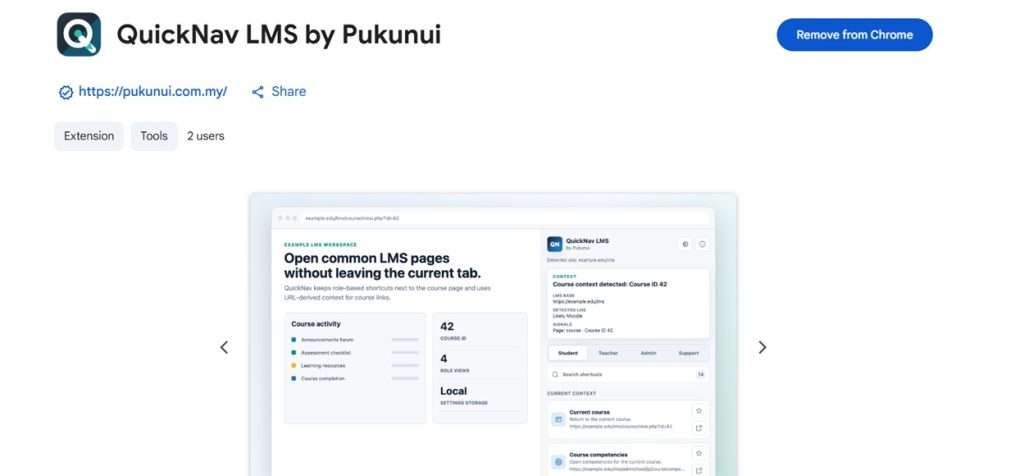
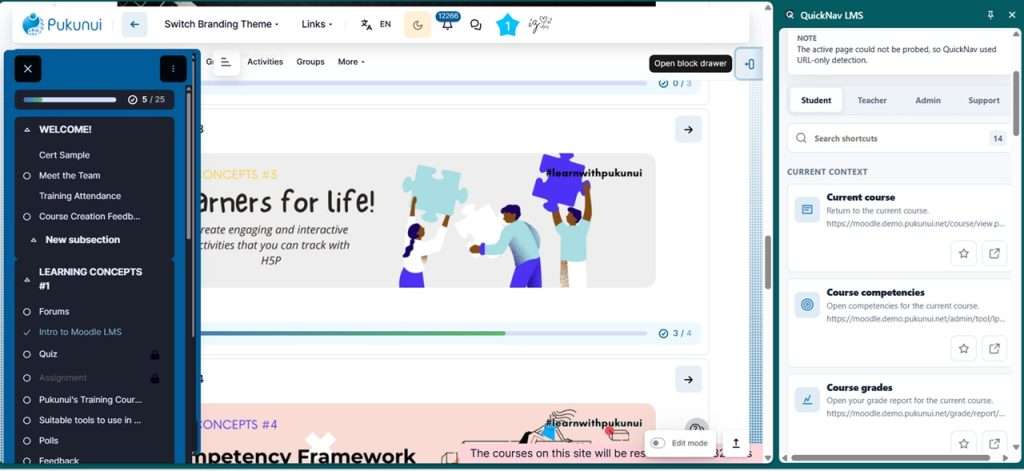
QuickNav LMS is a lightweight Google Chrome extension that sits neatly inside Chrome’s Side Panel, giving you quick access to the LMS pages you use most without interrupting your current workflow.
What is QuickNav LMS?
Rather than replacing Moodle’s navigation, QuickNav complements it.
The extension keeps commonly used shortcuts just a click away, allowing you to jump to frequently accessed pages while remaining on your current course or site. Because it uses the current URL to understand where you are, it can display relevant shortcuts whenever you’re inside a course, helping you navigate more efficiently.
Whether you’re teaching, managing courses, administering your LMS, or supporting users, QuickNav helps reduce unnecessary navigation so you can spend more time on the tasks that matter.
Features Designed for Everyday LMS Users
Role-Based Navigation
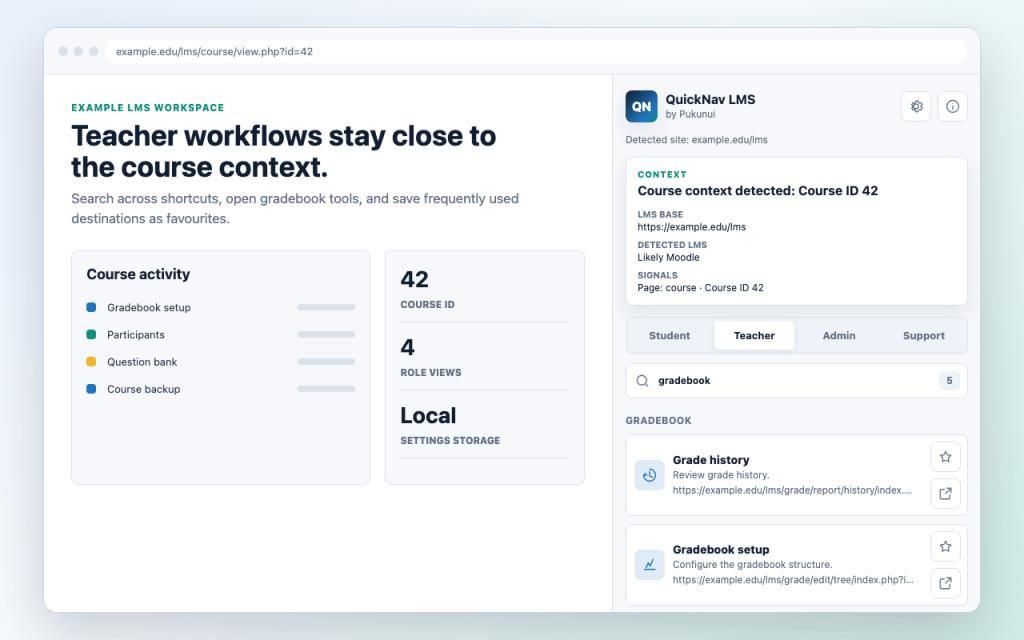
Different users have different responsibilities, so QuickNav adapts accordingly.
Switch between dedicated views for Students, Teachers, Administrators, and Support teams, allowing each role to access the shortcuts most relevant to their daily work.
For example, teachers can quickly access pages such as:
- Gradebook
- Question Bank
- Course Reports
- Backup and Restore
- Participants
without needing to navigate through multiple menus.
Save Your Favourite Shortcuts
Not every institution works the same way.
QuickNav allows you to bookmark frequently used pages as favourites, making them even quicker to access. You can also search across available shortcuts, helping you find the page you need in seconds.
Built for LMS Support Teams
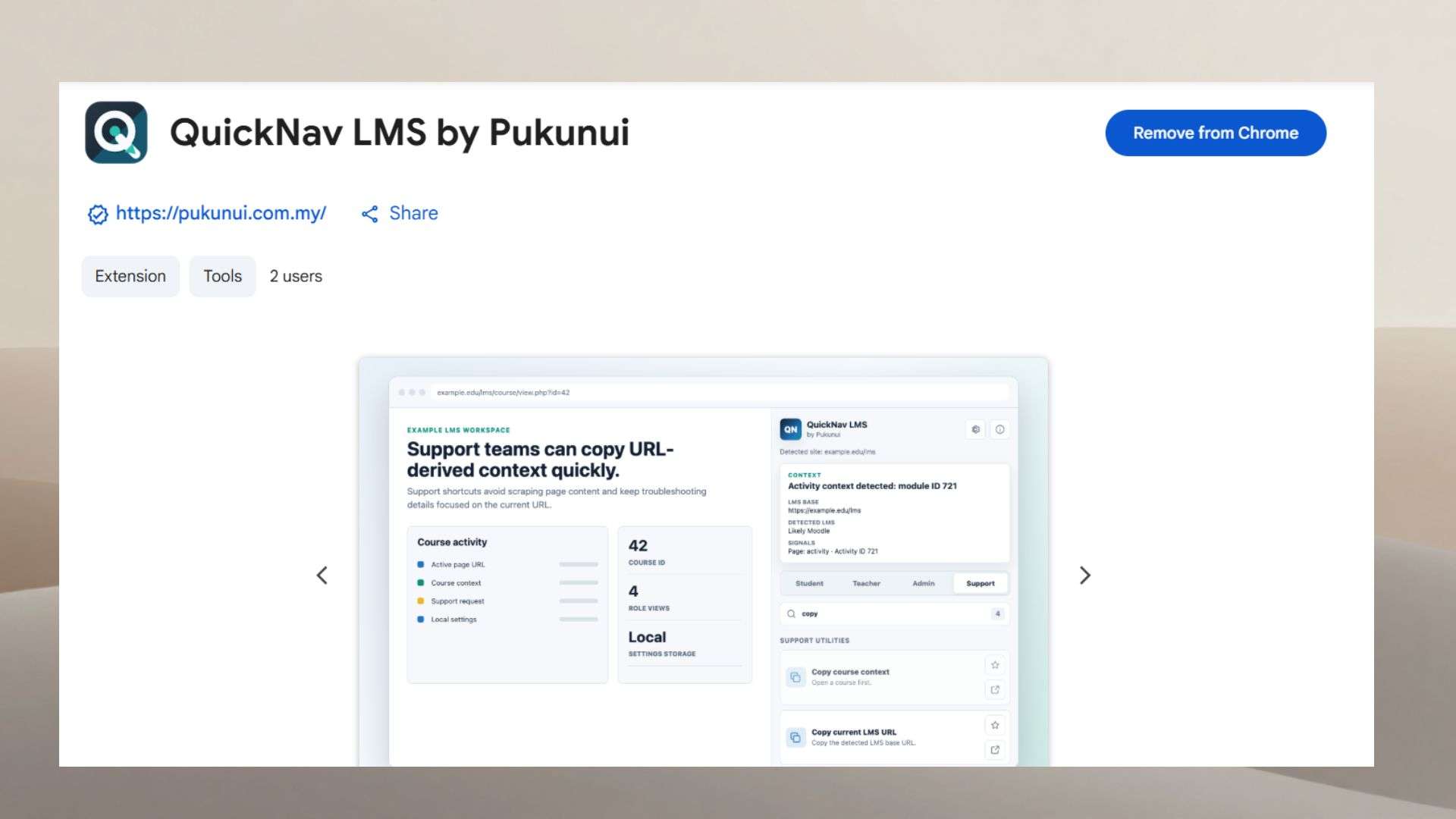
Supporting users often means asking them to copy URLs or identifying exactly which course they’re referring to.
QuickNav makes this easier by providing tools that quickly capture the current page context based on the URL, allowing support staff to troubleshoot more efficiently without accessing course content or personal information.
Custom Shortcuts for Your Institution
Every organisation has its own workflows.
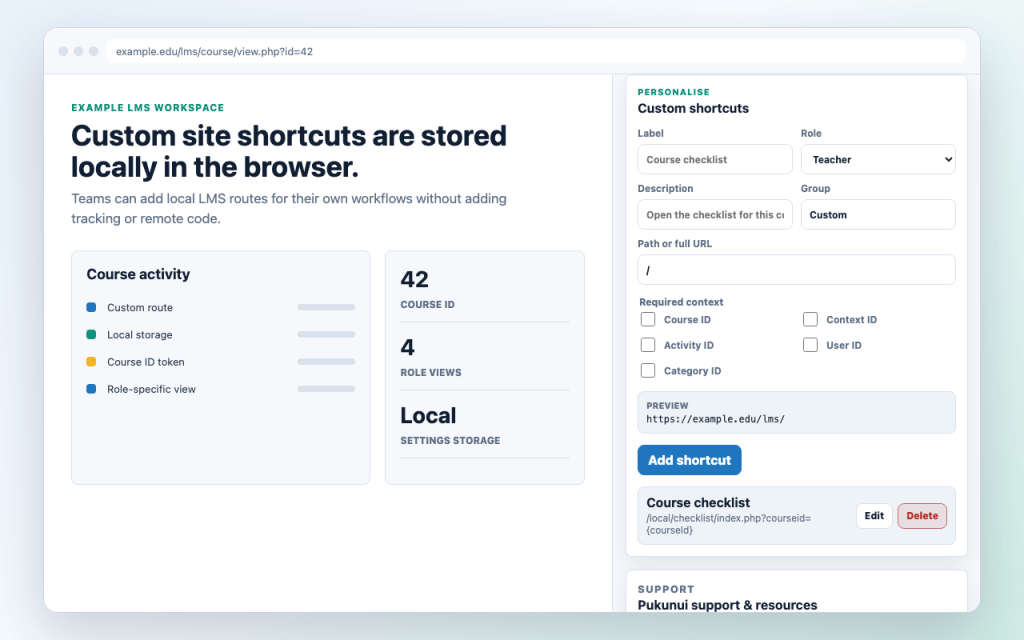
QuickNav allows you to create custom shortcuts for pages that your team accesses regularly. These shortcuts are stored locally in your browser, so each user can personalise their own navigation experience without affecting anyone else.
Privacy Comes First
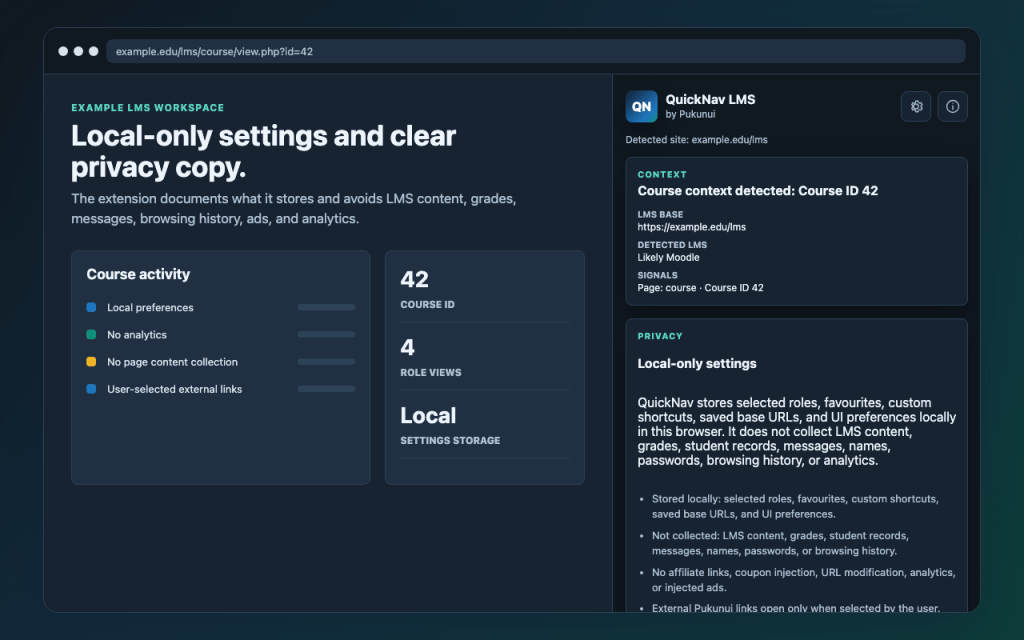
One of the design principles behind QuickNav is simplicity and privacy.
The extension stores only the settings needed for your shortcuts and preferences locally in your browser. It does not collect LMS content, grades, messages, browsing history, analytics, or advertising data.
In short, your data stays yours.
Works Seamlessly with Moodle™
Because QuickNav lives entirely inside Chrome’s Side Panel, it doesn’t modify your Moodle interface or inject additional menus into your LMS.
Your Moodle site remains exactly as it was designed.
When you’re viewing your site’s front page, course-specific shortcuts remain hidden. Once you enter a course, QuickNav automatically detects the course ID from the URL and enables relevant shortcuts such as Gradebook, Question Bank, Reports, and Backup.
It’s a small touch, but one that keeps the navigation clean and relevant.
Getting Started
Installing QuickNav LMS only takes a few minutes.
- Install QuickNav LMS by Pukunui from the Chrome Web Store.
- Click Add to Chrome.
- Pin the extension to your Chrome toolbar for easy access.
- Log in to your Moodle site.
- Open the QuickNav Side Panel and select your preferred role.
You’re ready to start navigating more efficiently.
Final Thoughts
QuickNav LMS was built to solve a simple but common problem: spending too much time clicking through the same menus every day.
Whether you’re managing multiple courses, supporting users, or administering an LMS, those small time savings quickly add up. By keeping your most frequently used pages within easy reach, QuickNav helps you work more efficiently while keeping your Moodle interface clean and uncluttered.
If Moodle is part of your daily work, QuickNav LMS is a simple tool that can make navigating your LMS just that little bit easier.
Ready to simplify your Moodle experience?
Try QuickNav LMS by Pukunui on the Chrome Web Store and discover how a simple side panel can save time during your everyday LMS tasks.
Looking for more ways to enhance your Moodle platform? Whether it’s training, hosting, or custom development, the Pukunui team is here to help you get more from your learning management system
