


Skills Card is a freely available plugin which is used to show all completed competencies by users in the Moodle LMS platform. This blog follows-up this blog by going into more detail on how to configure this block.
Teachers and managers
Firstly, there needs to be competencies added to a course, and competencies given to students.
After the admin downloads the block, a teacher or manager needs to add this block to the default profile page, either on the page or in the block drawer at the right:
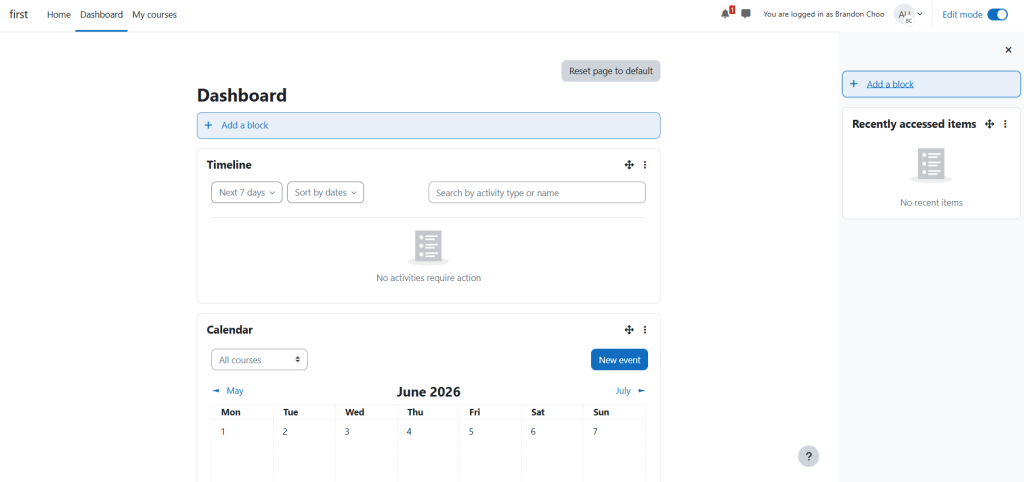
Then choose “Skills Card plugin” from the selection, and you’re done.
Students
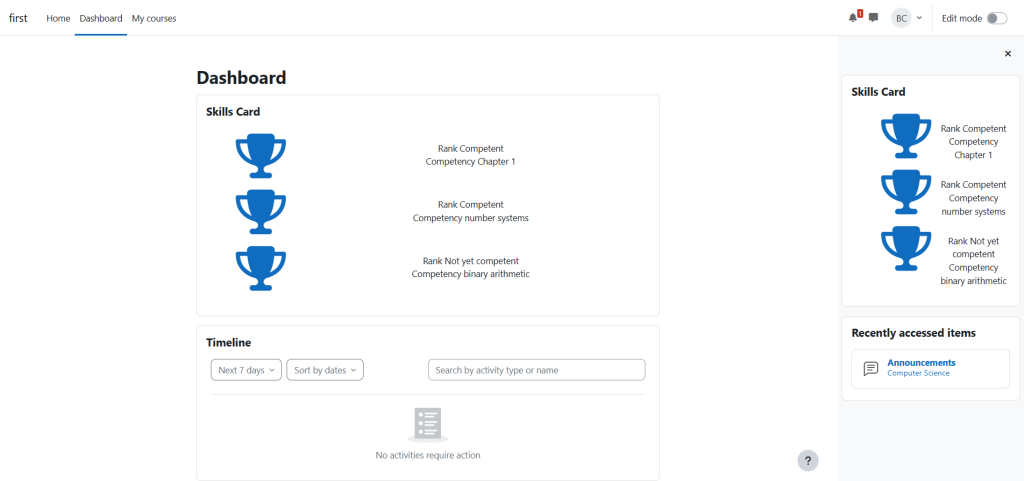
After that, the student doesn’t have to edit their blocks as the skills card block will already be there (unless the student has ever customised their dashboard, then the admin should reset the dashboard for all users). Each student will see all of their competencies in their skills card in their default profile page, either on their dashboard, in the block drawer, or both:
Note
I think that there was an issue before that only displayed one arbitrary competency, instead of all of the competencies of each user, so the admin needs to redownload the block.
